How to integrate an AI API
Integrating an AI API means sending an authenticated HTTPS request to a model endpoint, handling the response, and wrapping that call in reliability, validation, and cost controls. You need four things: a key stored server-side, a request wrapper with timeouts and retries, a parsing layer you trust, and observability over latency and spend.
What an AI API call actually is
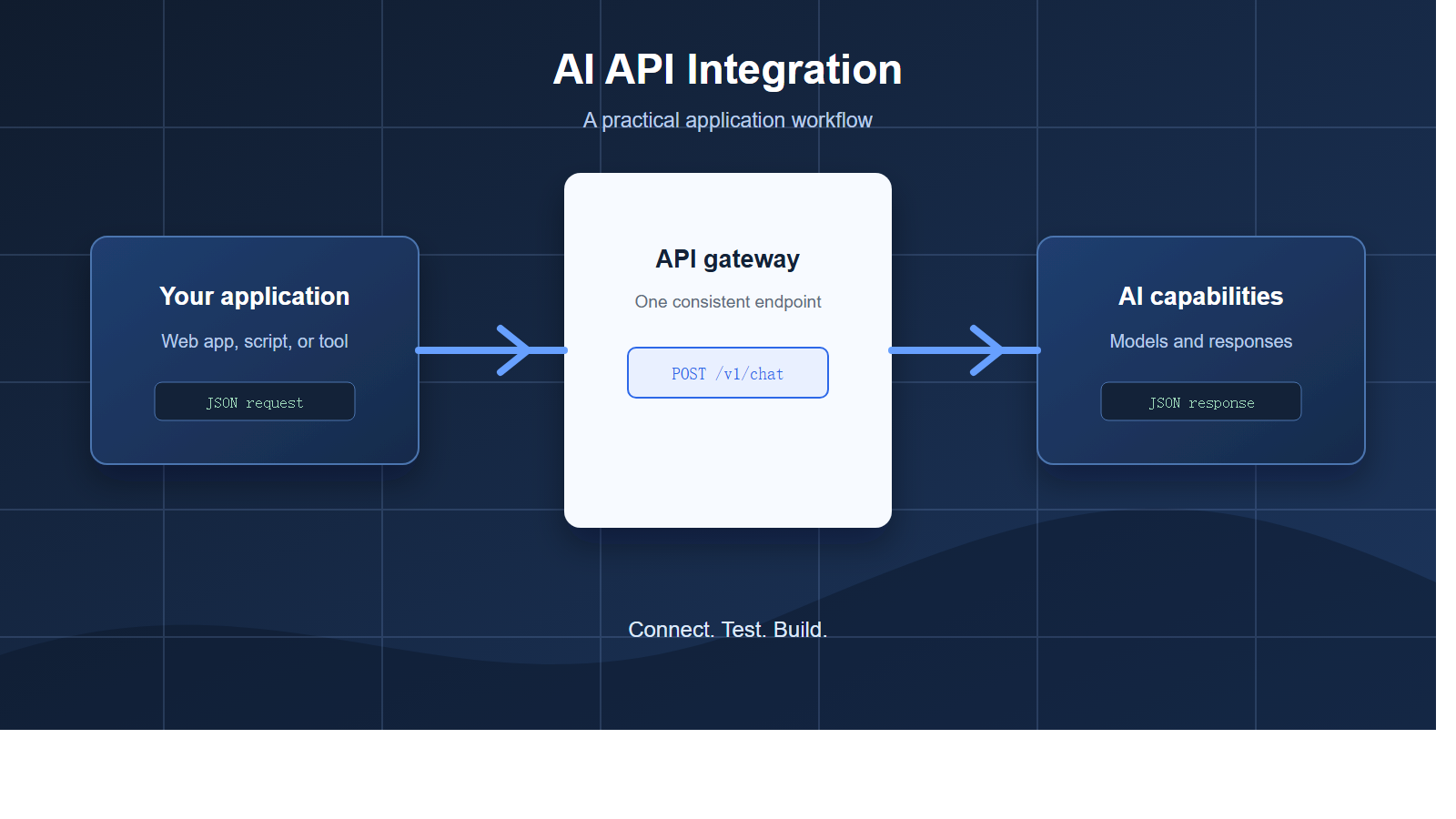
Strip away the branding and almost every provider exposes the same shape: an HTTP POST carrying a JSON body, returning JSON. You send a model identifier, an ordered list of messages, and a few generation parameters. You get back either one complete object or a stream of server-sent events. That narrow protocol surface is why a single integration pattern covers chat, summarization, classification, extraction, translation, and multi-step agent loops.
Two properties catch people out. The first is that the API is stateless. The model remembers nothing between calls, so your application must resend the relevant conversation history on every request. The second is that generation is non-deterministic by default, which means identical input can produce different output. Design for validation rather than assuming a stable string.
If you would rather not learn each provider’s quirks separately, an OpenAI-compatible endpoint lets one client library talk to several model families without code changes.
Where the call should live
Never call a model provider directly from a browser or a mobile binary. The key would be readable by anyone who opens developer tools, and you cannot rotate it safely once it ships. Route the request through your own backend, which holds the credential, enforces per-user quotas, and decides which model to use.
The table below maps the concerns you will hit to the layer that should own them.
| Concern | Where it belongs | What it looks like in practice |
|---|---|---|
| API key storage | Server environment or secret manager | Read from an environment variable at boot, never from source control |
| Per-user quota | Your backend | A counter keyed by account, checked before the upstream call |
| Retries and backoff | Your request wrapper | Exponential backoff with jitter, capped at a few attempts |
| Response validation | Your parsing layer | Schema check before the value reaches business logic |
| Model selection | Gateway or routing config | Cheap model by default, escalate on complexity or failure |
| Cost attribution | Logging and metrics | Token counts tagged with tenant, feature, and request id |
| Timeouts | Every network boundary | Shorter client timeout than your own request deadline |
Step 1: Get an API key and keep it safe
Sign up with a provider or gateway, create a key, and store it as an environment variable or in a managed secret store. Treat the key like a database password: scoped per environment, never committed, and rotated on a schedule. Separate keys for development, staging, and production mean a leaked laptop credential cannot drain a production budget.
Add three guardrails on day one. First, set a hard spending cap in the provider dashboard so a runaway loop cannot compound overnight. Second, restrict the key where the provider supports it, for example to a single project. Third, log every request with a request id, but never log the key itself or raw user content you would not want in a log store.
Key hygiene, prompt-injection boundaries, and abuse prevention deserve their own treatment, which is covered in AI API security.
Step 2: Make your first request
Start with a synchronous call and a generous timeout while you are still learning the response shape. The example below is deliberately complete: it reads the key from the environment, sends a system and a user message, and handles rate limits and transport failures rather than crashing.
import os
import time
import httpx

API_KEY = os.environ["AI_API_KEY"]
BASE_URL = os.environ.get("AI_BASE_URL", "https://api.example.com/v1")

def chat(prompt: str, retries: int = 3) -> str:
    payload = {
        "model": "your-model-id",
        "messages": [
            {"role": "system", "content": "You are a concise assistant."},
            {"role": "user", "content": prompt},
        ],
        "temperature": 0.2,
    }
    headers = {"Authorization": f"Bearer {API_KEY}"}

    for attempt in range(retries):
        try:
            with httpx.Client(timeout=30.0) as client:
                response = client.post(
                    f"{BASE_URL}/chat/completions",
                    json=payload,
                    headers=headers,
                )
            if response.status_code == 429:
                time.sleep(2 ** attempt)
                continue
            response.raise_for_status()
            return response.json()["choices"][0]["message"]["content"]
        except (httpx.TimeoutException, httpx.TransportError):
            if attempt == retries - 1:
                raise
            time.sleep(2 ** attempt)

    raise RuntimeError("rate limited after retries")

if __name__ == "__main__":
    print(chat("Explain idempotency keys in two sentences."))
Notice what the snippet does not do: it does not retry on a 400 or a 401, because those will never succeed on a second attempt. Retry only on transport errors, timeouts, and 429 or 5xx responses. Everything else should surface as a real error you can debug.
Step 3: Decide between streaming and non-streaming
A non-streaming request is simpler: one response, one parse, one place to handle errors. Choose it for background jobs, batch classification, and anything where no human is waiting. Choose streaming when a person is watching the output, because time to first token matters far more than total latency for perceived speed.
Streaming changes the shape of your code, not just the transport. You now need an event loop, incremental buffer handling, a way to cancel a request the user abandons, and a fallback path if the stream dies halfway through. Budget for that work honestly. The mechanics of parsing server-sent events, including partial JSON fragments and reconnect behavior, are covered in AI API streaming explained.
A pragmatic default is to build the non-streaming path first, ship it, then add streaming behind a feature flag for the interfaces where users actually notice the delay.
Step 4: Handle timeouts, retries, and 429s
Model calls are slow by web standards, and they fail in ways ordinary HTTP calls do not. Capacity is shared, so a spike in your own traffic or someone else’s can produce a 429 even when your code is correct. Your wrapper needs four behaviors: a client timeout, bounded retries with exponential backoff and jitter, respect for any retry-after header, and a circuit breaker that stops hammering a provider that is clearly down.
Set your own deadline above the client timeout so the inner call fails first and you keep control of the error. Add jitter to backoff so a fleet of instances does not retry in lockstep and recreate the spike. Cap total attempts at three or four; beyond that you are usually better off degrading gracefully, for example by answering from a cache or returning a partial result.
The full taxonomy of rate-limit responses, including per-minute versus per-token limits, is broken down in how to handle AI API rate limits and 429 errors. If a single provider is not enough, a multi-provider failover layer is the structural fix.
Step 5: Ask for structured output you can validate
Free-form prose is fine for chat and useless for program logic. When the model’s output feeds a database, a payment flow, or a UI component, ask for JSON that conforms to a schema. Most modern APIs support a JSON mode or a schema-enforced mode, and schema enforcement is worth the extra setup because it removes an entire class of parsing bugs.
Validate anyway. Treat model output as untrusted input from a third party, because that is exactly what it is. Parse it, check required fields and types, reject anything out of range, and have a defined fallback when validation fails. Retrying once with the validation error appended to the prompt resolves most failures; if it does not, fall back to a deterministic code path rather than looping.
Techniques for schema design and reliable parsing are covered in AI structured outputs explained.
Step 6: Add tool and function calling
Tool calling turns a text generator into something that can act. You describe available functions with a JSON schema, the model responds with a structured request to call one, your code executes it, and you send the result back for a final answer. The model never runs your code; it only proposes a call, which keeps the security boundary on your side.
Two rules make tool loops survivable. Validate every argument before execution, since the model can hallucinate an account id or a file path. And cap the number of iterations, because a confused model can otherwise loop indefinitely. Log each step so you can replay a failed trajectory later. The loop mechanics and schema patterns are described in AI function calling explained.
Step 7: Manage prompts and context
Prompts are code. Version them, review them, and keep them out of string concatenation scattered across the codebase. A single module that owns each prompt template makes it possible to change behavior in one place and to correlate quality regressions with a specific edit.
Context is a budget, not a bucket. Long conversations eventually exceed the window, so you need a policy: keep the system prompt and the last few turns verbatim, summarize older turns, and drop the rest. Retrieval can pull relevant history back in when it matters. Truncation and summarization strategies are compared in managing the context window.
Step 8: Log, trace, and track cost
You cannot debug or budget what you do not measure. Log the request id, model, token counts, latency, status code, retry count, and the tenant or feature that triggered the call. Do not log raw prompts in production unless you have a retention policy and a clear reason; redact or hash them instead.
Track three metrics above all others: time to first token for streaming paths, end-to-end latency for synchronous paths, and cost per active user per day. A dashboard that shows cost by feature will find waste faster than any optimization exercise. When you do want to cut spend, start with routing and caching rather than prompt micro-tuning, as outlined in how to reduce AI API costs. Instrumentation patterns are covered in LLM observability.
Choosing your integration approach
| Approach | Best for | Trade-off |
|---|---|---|
| Vendor SDK directly | One provider, fastest possible start | Provider-specific types leak through your code |
| OpenAI-compatible client | Portability across providers | Lowest-common-denominator feature set |
| Server-side proxy you own | Key protection, quotas, unified logging | Extra service to build, deploy, and monitor |
| Hosted AI gateway | Small teams that want routing and failover now | Another dependency in the request path |
Most teams land on the third or fourth row once they have more than one feature using models. The comparison criteria are laid out in what is an AI API gateway and, for a buyer’s view, in the guide to choosing the best AI API gateway.
Testing and staging strategy
Unit tests should mock the model, not call it. Assert that your code builds the right request and handles each response class: success, malformed JSON, 429, timeout, and a refusal. Those tests run in milliseconds and catch the regressions that actually page you.
Keep a small evaluation set of real inputs with known-good outputs and run it against any prompt or model change. Score it with a rubric or an automated judge, and store the results so you can compare revisions over time. Gate model upgrades behind that suite rather than shipping a new model because it is newer.
In staging, point at a low-cost model and a separate key so load tests never touch production quota. Replay recorded production traffic when you want realistic volume without realistic risk.
Production checklist
- Key stored server-side in a secret manager, scoped per environment, with a hard spend cap.
- No model call originates from a browser or mobile client.
- Client timeouts set below your own request deadline.
- Retries bounded, jittered, and limited to retryable status codes.
- Model output validated against a schema before it reaches business logic.
- Tool arguments validated and tool loops capped at a fixed iteration count.
- Prompts versioned in one place, with context trimming policy defined.
- Request ids, token counts, latency, and cost logged per tenant and feature.
- Fallback path defined for provider outage, including a cached or degraded response.
- Evaluation suite run before any prompt, model, or parameter change ships.
Frequently asked questions
Do I need machine learning experience to integrate an AI API?
No. Integration is ordinary backend engineering: authentication, HTTP, retries, validation, and logging. You do need to understand the failure modes, which are unusual compared with a typical REST service, but you do not need to train or fine-tune anything.
Should I call the provider from the frontend to save a round trip?
No. The key would be exposed to every user, and you would lose per-user quota enforcement and cost attribution. The extra hop through your backend is cheap compared with the risk of a leaked production credential.
How many times should I retry a failed request?
Three or four attempts at most, with exponential backoff and jitter. Retry only on transport errors, timeouts, and 429 or 5xx responses. A 400 or 401 will fail identically every time, so retrying just adds latency.
Is streaming always better than waiting for the full response?
Only when a human is watching. Streaming improves perceived speed and lets users cancel early, but it complicates buffering, error handling, and reconnection. Background jobs and batch pipelines are simpler and often cheaper without it.
How do I stop model output from breaking my application?
Request schema-enforced JSON where possible, then validate the parsed result before use. Treat every field as untrusted input, reject out-of-range values, and define a deterministic fallback for the case where validation fails twice.
What should I monitor after launch?
Time to first token, end-to-end latency, error and retry rates, and cost per active user. Break cost down by feature and tenant. Most unexpected spend comes from one feature or one runaway loop, and a per-feature view finds it immediately.
How do I keep costs predictable as usage grows?
Route routine requests to a smaller model, cache repeated prompts and results, and trim context aggressively. Measure before optimizing, since the largest savings usually come from avoiding calls rather than from tuning parameters on calls you still make.
Where to go next
Start with the smallest useful slice: one backend endpoint, one key in a secret manager, one validated response, one log line. Get that working end to end before you add streaming, tools, or routing. Most integration pain comes from adopting five concerns at once rather than from any single one of them.
When you are ready to add a second model or a failover path without rewriting your client, a single OpenAI-compatible endpoint removes most of that work. You can create a key and test the flow at qoraapi.com, then swap the base URL in the snippet above and confirm the same code path works unchanged.
Related reading
- OpenAI-Compatible API: One Key for GPT, Claude & Gemini
- How to Build an AI Chatbot with the API
- Integrating AI APIs into Mobile Apps
- Top 10 Real-World Use Cases for an AI API in 2026
- Running AI API Calls in Serverless and Edge Functions
- AI API Data Privacy & GDPR: Residency, Logging, and Keeping Prompts Safe
- Text-to-SQL: Letting Users Query Your Database with AI
- How to Connect Cursor, Cline and Continue to a Custom AI API Endpoint